
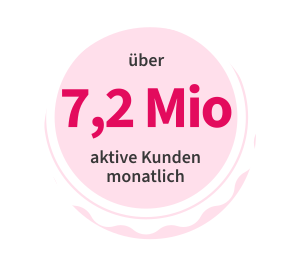
More than 7.2 millionactive photo payment users in December 2025 alone
Welcome to the market leader in smart payments.






97.9%
IBAN

86%
Transfer reference

95,2%
Recipient information

91.5%
Amount to pay
We have the upgrade for your photo payment: with the return assistant, you can deselect returned items – the remaining amount due is updated automagically, turning purchasing on account into a breeze payment experience powered by your mobile banking app.

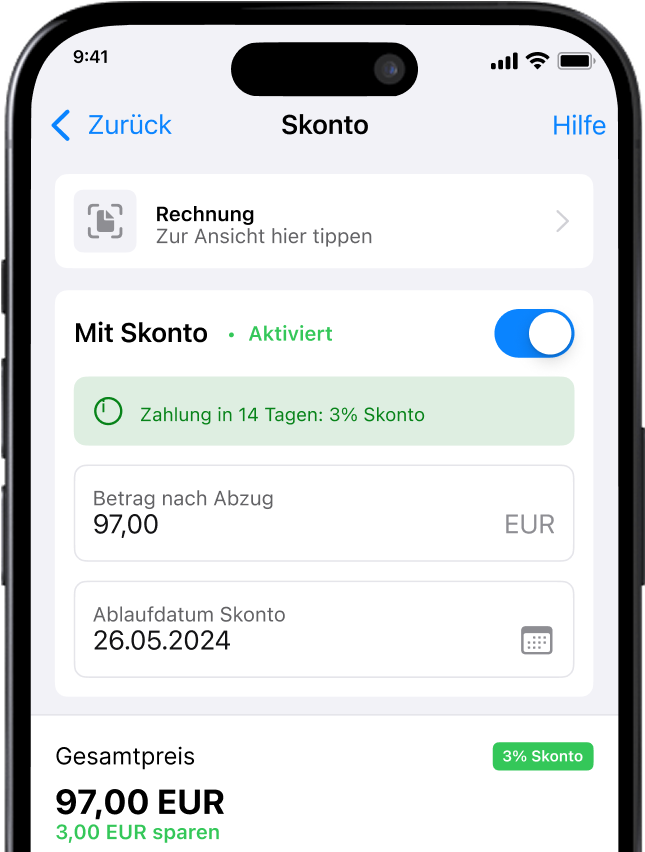
The new feature works just as easily as the photo payment: an invoice on which a discount for early payment is noted is photographed or uploaded to the banking app using the share-with function. In addition to the classic invoice data, the cash discount calculator recognizes the cash discount and the date to be observed.
Benefits
Next to the financial overview in the transaction list, photo payment is the second most used feature in banking apps. That means: photo transfer pushes banking app usage, interactions, time spent in the app, return rate, and downloads. And a sticky app is an important prerequisite for the bank to expand its service offering and attractiveness further.
FAQ
If you want to make a transfer, you will find the photo payment option in your banking app. Here you can simply take a photo of an invoice or transfer form and the data will be automatically extracted and inserted. All you then have to do is approve the transfer.
The photo payment makes online banking much easier for users. Data does not have to be laboriously typed in and errors are reduced. Time can also be saved significantly. A win-win situation.
Of course! The photo payment doesn’t just work with pictures that you take at that moment. You can also select images from your library, upload PDFs and even read the data for a payment from screenshots.
A photo payment is a way of making a transfer by simply processing an image on which the pyment data is captured. In concrete terms, all you need to do is take a picture of an invoice or a transfer form and the automatic data extraction will do the rest. This saves you the tedious typing and gives you more time for other things.

Base: 19,276,239 million transfers in October 2025. Average time required for a transfer on a mobile phone until TAN approval: a) by hand 1:14 min b) by photo payment: 31 sec
Average time required for a transfer on a mobile phone until TAN approval:
a) by hand 1:14 min b) by photo payment: 31 sec
Integration
For a successful photo transfer and an ideal customer experience, Gini provides the “Gini Bank SDK” as a white-label solution that can easily be integrated into any banking app with a manageable effort in just one sprint.

Contact us


